> ## Documentation Index
> Fetch the complete documentation index at: https://upstash-docs-landing-rework.mintlify.site/llms.txt
> Use this file to discover all available pages before exploring further.
# Getting Started
export const Catalog = ({product, type, featured, cols = 3}) => {
const catalog = [{
title: "@upstash/redis",
description: "HTTP-based Redis client for serverless and edge.",
href: "/redis/sdks/ts/overview",
product: "redis",
type: "sdk",
lang: "typescript",
featured: true
}, {
title: "upstash-redis (Python)",
description: "Serverless Redis client for Python.",
href: "/redis/sdks/py/overview",
product: "redis",
type: "sdk",
lang: "python"
}, {
title: "@upstash/ratelimit",
description: "Rate limiting for serverless, built on Redis.",
href: "/redis/sdks/ratelimit-ts/overview",
product: "redis",
type: "sdk",
lang: "typescript",
featured: true
}, {
title: "ratelimit (Python)",
description: "Rate limiting SDK for Python.",
href: "/redis/sdks/ratelimit-py/overview",
product: "redis",
type: "sdk",
lang: "python"
}, {
title: "@upstash/vector",
description: "Vector database client for AI and LLM apps.",
href: "/vector/sdks/ts/getting-started",
product: "vector",
type: "sdk",
lang: "typescript",
featured: true
}, {
title: "upstash-vector (Python)",
description: "Vector database client for Python.",
href: "/vector/sdks/py/gettingstarted",
product: "vector",
type: "sdk",
lang: "python"
}, {
title: "@upstash/qstash",
description: "Publish messages and schedule jobs over HTTP.",
href: "/qstash/sdks/ts/overview",
product: "qstash",
type: "sdk",
lang: "typescript",
featured: true
}, {
title: "qstash-py",
description: "QStash messaging and scheduling for Python.",
href: "/qstash/sdks/py/overview",
product: "qstash",
type: "sdk",
lang: "python"
}, {
title: "@upstash/workflow",
description: "Durable serverless functions and workflows.",
href: "/workflow/getstarted",
product: "workflow",
type: "sdk",
lang: "typescript",
featured: true
}, {
title: "@upstash/search",
description: "Full-text and semantic search client.",
href: "/search/sdks/ts/getting-started",
product: "search",
type: "sdk",
lang: "typescript",
featured: true
}, {
title: "BullMQ",
description: "Message queue built on Redis.",
href: "/redis/integrations/bullmq",
product: "redis",
type: "integration",
lang: "typescript",
featured: true
}, {
title: "Drizzle",
description: "Cache Drizzle ORM queries with Upstash Redis.",
href: "/redis/integrations/drizzle",
product: "redis",
type: "integration",
lang: "typescript",
featured: true
}, {
title: "Celery",
description: "Use Upstash Redis as a Celery broker.",
href: "/redis/integrations/celery",
product: "redis",
type: "integration",
lang: "python"
}, {
title: "Sidekiq",
description: "Background jobs for Ruby on Upstash Redis.",
href: "/redis/integrations/sidekiq",
product: "redis",
type: "integration",
lang: "ruby"
}, {
title: "MCP Server",
description: "Manage Upstash Redis from AI agents via MCP.",
href: "/redis/integrations/mcp",
product: "redis",
type: "integration",
lang: "typescript"
}, {
title: "n8n (Redis)",
description: "Automate workflows with Redis nodes in n8n.",
href: "/redis/integrations/n8n",
product: "redis",
type: "integration",
lang: "typescript"
}, {
title: "Prometheus (Redis)",
description: "Scrape Upstash Redis metrics into Prometheus.",
href: "/redis/integrations/prometheus",
product: "redis",
type: "integration",
lang: "typescript"
}, {
title: "LangChain",
description: "Vector store integration for LLM apps.",
href: "/vector/integrations/langchain",
product: "vector",
type: "integration",
lang: "python",
featured: true
}, {
title: "Vercel AI SDK",
description: "Back the AI SDK with Upstash Vector.",
href: "/vector/integrations/ai-sdk",
product: "vector",
type: "integration",
lang: "typescript",
featured: true
}, {
title: "LlamaIndex",
description: "Use Upstash Vector as a LlamaIndex store.",
href: "/vector/integrations/llamaindex",
product: "vector",
type: "integration",
lang: "python"
}, {
title: "Flowise",
description: "Build LLM flows on Upstash Vector.",
href: "/vector/integrations/flowise",
product: "vector",
type: "integration",
lang: "typescript"
}, {
title: "Langflow",
description: "Visual LLM apps backed by Upstash Vector.",
href: "/vector/integrations/langflow",
product: "vector",
type: "integration",
lang: "python"
}, {
title: "LlamaParse",
description: "Parse and index documents into Upstash Vector.",
href: "/vector/integrations/llamaparse",
product: "vector",
type: "integration",
lang: "python"
}, {
title: "Resend",
description: "Send emails from QStash workflows.",
href: "/qstash/integrations/resend",
product: "qstash",
type: "integration",
lang: "typescript",
featured: true
}, {
title: "Anthropic",
description: "Call Claude reliably through QStash.",
href: "/qstash/integrations/anthropic",
product: "qstash",
type: "integration",
lang: "typescript"
}, {
title: "LLM APIs",
description: "Queue and retry LLM calls with QStash.",
href: "/qstash/integrations/llm",
product: "qstash",
type: "integration",
lang: "typescript"
}, {
title: "Datadog",
description: "Monitor QStash with Datadog.",
href: "/qstash/integrations/datadog",
product: "qstash",
type: "integration",
lang: "typescript"
}, {
title: "Pipedream",
description: "Trigger Pipedream workflows from QStash.",
href: "/qstash/integrations/pipedream",
product: "qstash",
type: "integration",
lang: "typescript"
}, {
title: "n8n (QStash)",
description: "Publish QStash messages from n8n.",
href: "/qstash/integrations/n8n",
product: "qstash",
type: "integration",
lang: "typescript"
}, {
title: "Docusaurus",
description: "Add full-text search to a Docusaurus site.",
href: "/search/integrations/docusaurus",
product: "search",
type: "integration",
lang: "typescript"
}, {
title: "AI SDK Code Interpreter",
description: "Run AI-generated code in a Box sandbox.",
href: "/box/guides/ai-sdk-code-interpreter",
product: "box",
type: "demo",
lang: "typescript",
featured: true
}, {
title: "E-commerce Order Fulfillment",
description: "Durable order processing with Workflow.",
href: "/workflow/examples/eCommerceOrderFulfillment",
product: "workflow",
type: "demo",
lang: "typescript",
featured: true
}, {
title: "Image Processing",
description: "Fan-out image jobs with Workflow.",
href: "/workflow/examples/imageProcessing",
product: "workflow",
type: "demo",
lang: "typescript",
featured: true
}, {
title: "Customer Onboarding",
description: "Multi-step onboarding flow with delays.",
href: "/workflow/examples/customerOnboarding",
product: "workflow",
type: "demo",
lang: "typescript"
}, {
title: "Payment Retry",
description: "Retry failed payments with backoff.",
href: "/workflow/examples/paymentRetry",
product: "workflow",
type: "demo",
lang: "typescript"
}, {
title: "Wait for Event",
description: "Pause a workflow until an external event.",
href: "/workflow/examples/waitForEvent",
product: "workflow",
type: "demo",
lang: "typescript"
}, {
title: "Auth Webhook",
description: "Handle auth webhooks durably.",
href: "/workflow/examples/authWebhook",
product: "workflow",
type: "demo",
lang: "typescript"
}];
const matchesProduct = entry => !product || (Array.isArray(entry.product) ? entry.product.includes(product) : entry.product === product);
const items = catalog.filter(entry => matchesProduct(entry) && (!type || entry.type === type) && (!featured || entry.featured));
const gridClass = "u-grid " + (cols >= 3 ? "u-grid--3" : "u-grid--2");
return ;
};
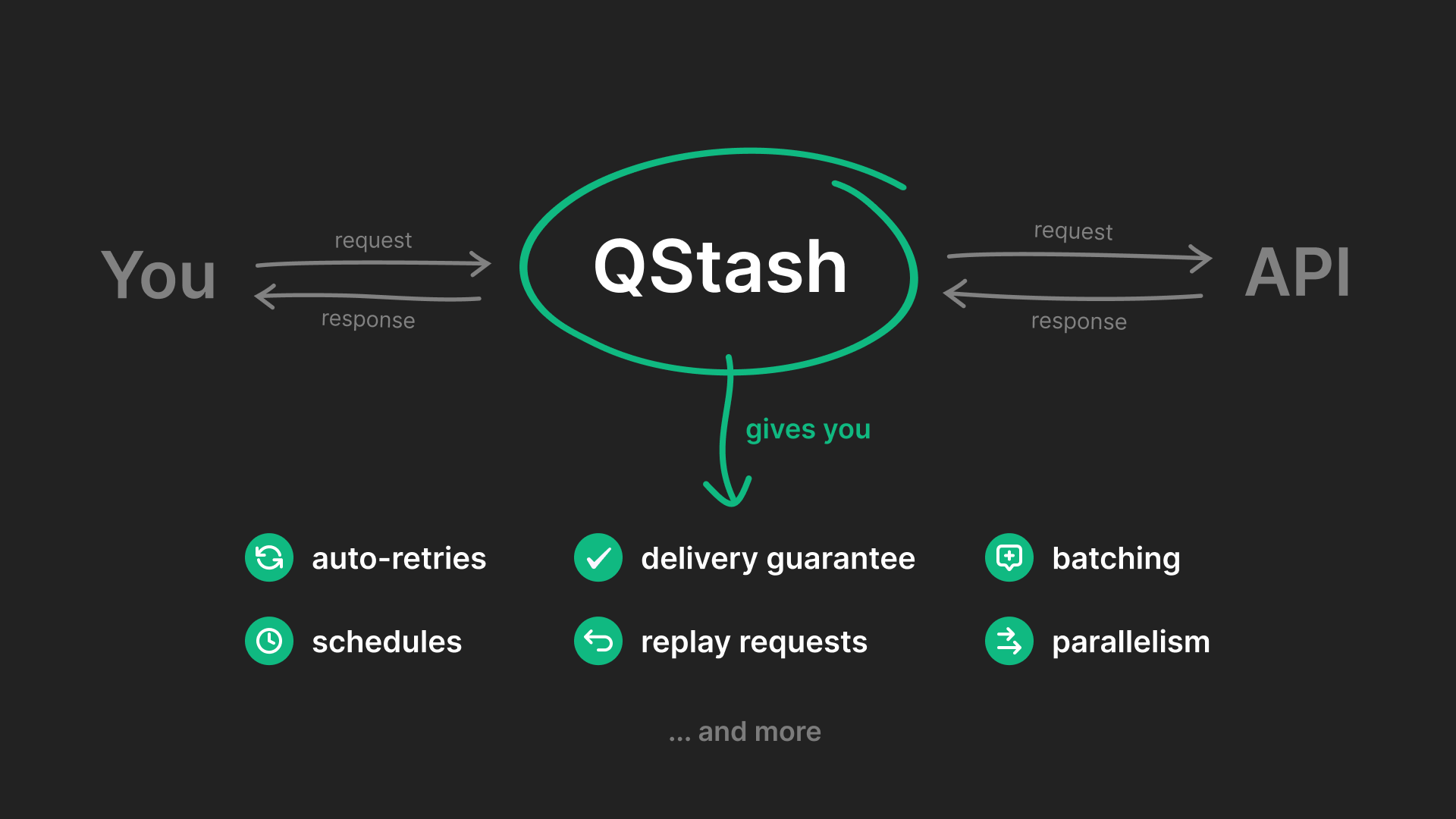
QStash is a **serverless messaging and scheduling solution**. It fits easily into your existing workflow and allows you to build reliable systems without managing infrastructure.
Instead of calling an endpoint directly, QStash acts as a middleman between you and an API to guarantee delivery, perform automatic retries on failure, and more.
 We have a new SDK called [Upstash Workflow](/workflow/getstarted).
**Upstash Workflow SDK** is **QStash** simplified for your complex applications
* Skip the details of preparing a complex dependent endpoints.
* Focus on the essential parts.
* Enjoy automatic retries and delivery guarantees.
* Avoid platform-specific timeouts.
Check out [Upstash Workflow Getting Started](/workflow/getstarted) for more.
## Quick Start
Check out these Quick Start guides to get started with QStash in your application.
Build a Next application that uses QStash to start a long-running job on your platform
Build a Python application that uses QStash to schedule a daily job that clean up a database
Or continue reading to learn how to send your first message!
## Send your first message
**Prerequisite**
You need an Upstash account before publishing messages, create one
[here](https://console.upstash.com).
### Public API
Make sure you have a publicly available HTTP API that you want to send your
messages to. If you don't, you can use something like
[requestcatcher.com](https://requestcatcher.com/), [webhook.site](https://webhook.site/) or
[webhook-test.com](https://webhook-test.com/) to try it out.
For example, you can use this URL to test your messages: [https://firstqstashmessage.requestcatcher.com](https://firstqstashmessage.requestcatcher.com)
### Get your token
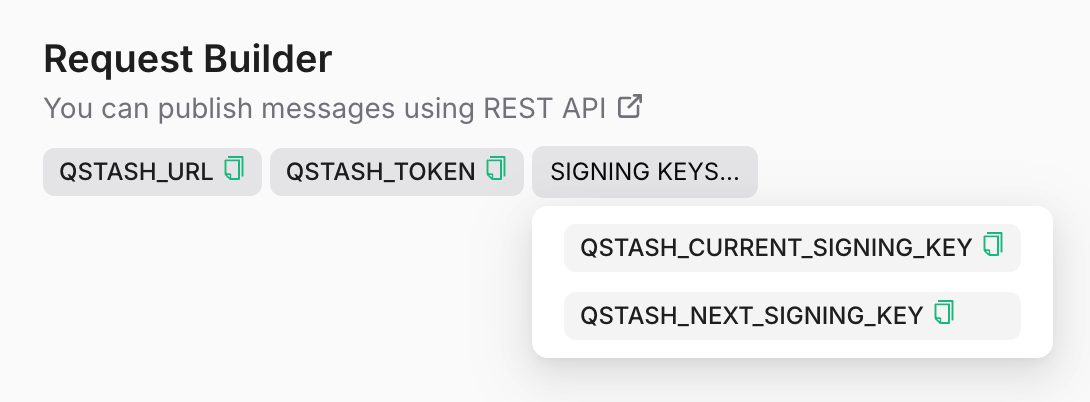
Go to the [Upstash Console](https://console.upstash.com/qstash) and copy the
`QSTASH_TOKEN`.
We have a new SDK called [Upstash Workflow](/workflow/getstarted).
**Upstash Workflow SDK** is **QStash** simplified for your complex applications
* Skip the details of preparing a complex dependent endpoints.
* Focus on the essential parts.
* Enjoy automatic retries and delivery guarantees.
* Avoid platform-specific timeouts.
Check out [Upstash Workflow Getting Started](/workflow/getstarted) for more.
## Quick Start
Check out these Quick Start guides to get started with QStash in your application.
Build a Next application that uses QStash to start a long-running job on your platform
Build a Python application that uses QStash to schedule a daily job that clean up a database
Or continue reading to learn how to send your first message!
## Send your first message
**Prerequisite**
You need an Upstash account before publishing messages, create one
[here](https://console.upstash.com).
### Public API
Make sure you have a publicly available HTTP API that you want to send your
messages to. If you don't, you can use something like
[requestcatcher.com](https://requestcatcher.com/), [webhook.site](https://webhook.site/) or
[webhook-test.com](https://webhook-test.com/) to try it out.
For example, you can use this URL to test your messages: [https://firstqstashmessage.requestcatcher.com](https://firstqstashmessage.requestcatcher.com)
### Get your token
Go to the [Upstash Console](https://console.upstash.com/qstash) and copy the
`QSTASH_TOKEN`.
 ### Publish a message
A message can be any shape or form: json, xml, binary, anything, that can be
transmitted in the http request body. We do not impose any restrictions other
than a size limit of 1 MB (which can be customized at your request).
In addition to the request body itself, you can also send HTTP headers. Learn
more about this in the [message publishing section](/qstash/howto/publishing).
```bash cURL theme={null}
curl -XPOST \
-H 'Authorization: Bearer ' \
-H "Content-type: application/json" \
-d '{ "hello": "world" }' \
'https://qstash.upstash.io/v2/publish/https://'
```
```bash cURL RequestCatcher theme={null}
curl -XPOST \
-H 'Authorization: Bearer ' \
-H "Content-type: application/json" \
-d '{ "hello": "world" }' \
'https://qstash.upstash.io/v2/publish/https://firstqstashmessage.requestcatcher.com/test'
```
Don't worry, we have SDKs for different languages so you don't
have to make these requests manually.
### Check Response
You should receive a response with a unique message ID.
### Publish a message
A message can be any shape or form: json, xml, binary, anything, that can be
transmitted in the http request body. We do not impose any restrictions other
than a size limit of 1 MB (which can be customized at your request).
In addition to the request body itself, you can also send HTTP headers. Learn
more about this in the [message publishing section](/qstash/howto/publishing).
```bash cURL theme={null}
curl -XPOST \
-H 'Authorization: Bearer ' \
-H "Content-type: application/json" \
-d '{ "hello": "world" }' \
'https://qstash.upstash.io/v2/publish/https://'
```
```bash cURL RequestCatcher theme={null}
curl -XPOST \
-H 'Authorization: Bearer ' \
-H "Content-type: application/json" \
-d '{ "hello": "world" }' \
'https://qstash.upstash.io/v2/publish/https://firstqstashmessage.requestcatcher.com/test'
```
Don't worry, we have SDKs for different languages so you don't
have to make these requests manually.
### Check Response
You should receive a response with a unique message ID.
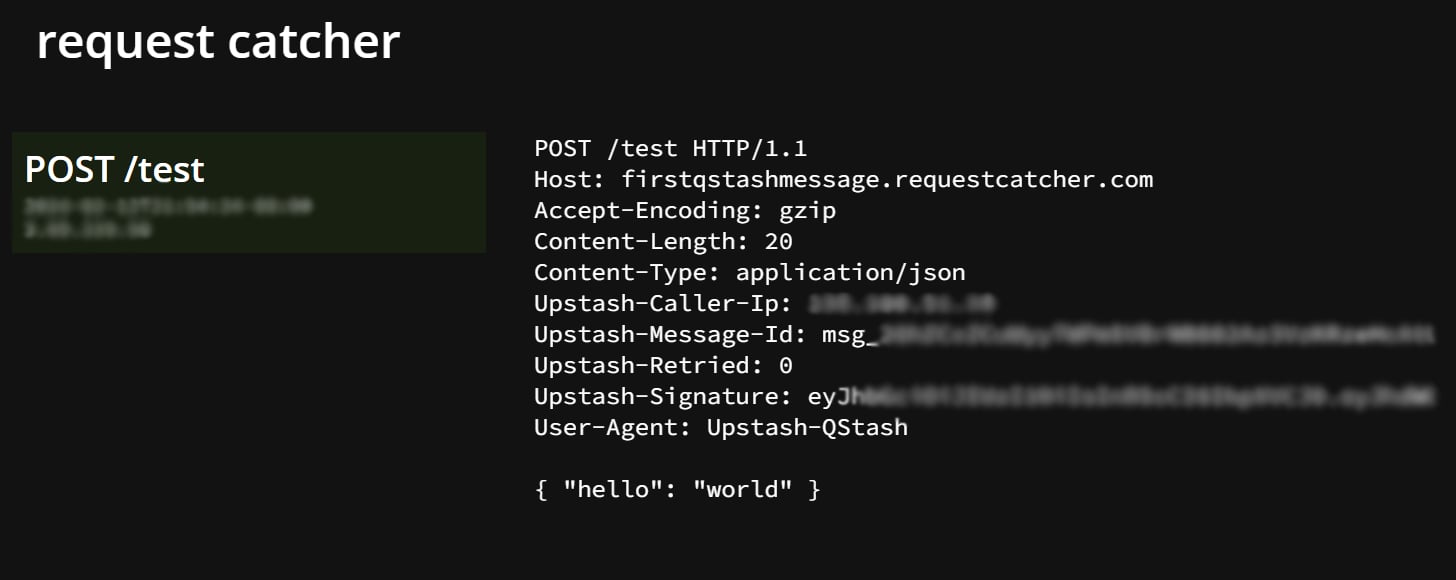 ### Check Message Status
Head over to [Upstash Console](https://console.upstash.com/qstash) and go to the
`Logs` tab where you can see your message activities.
### Check Message Status
Head over to [Upstash Console](https://console.upstash.com/qstash) and go to the
`Logs` tab where you can see your message activities.
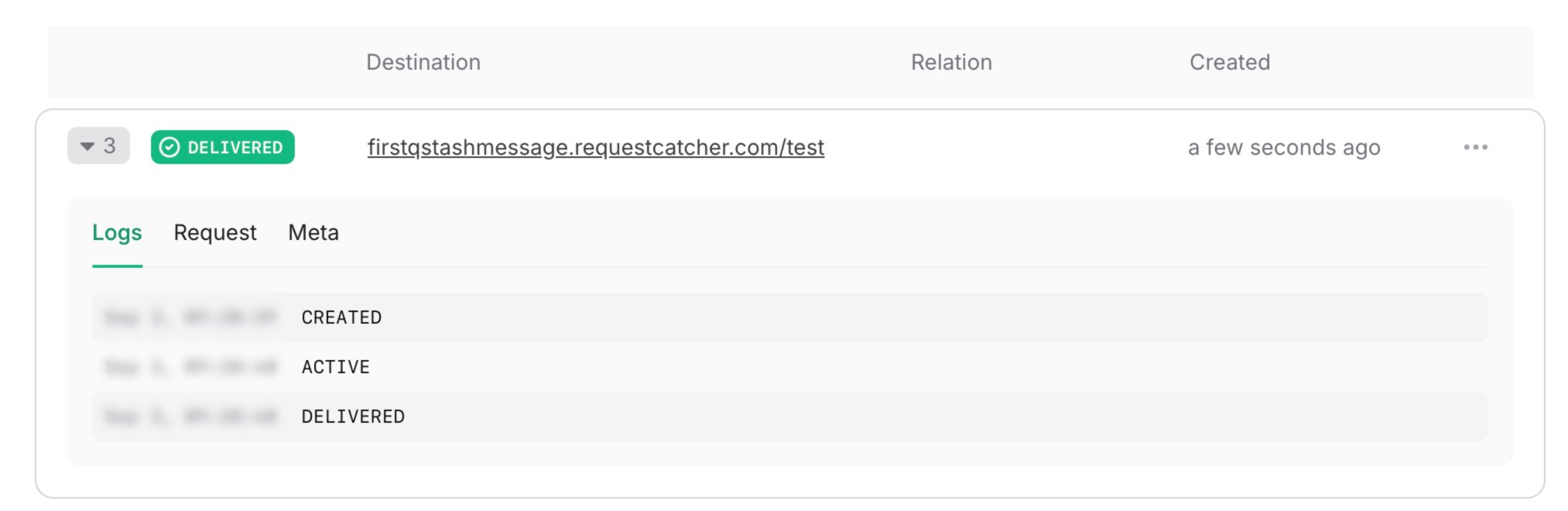 Learn more about different states [here](/qstash/howto/debug-logs).
## Features and Use Cases
Run long-running tasks in the background, without blocking your application
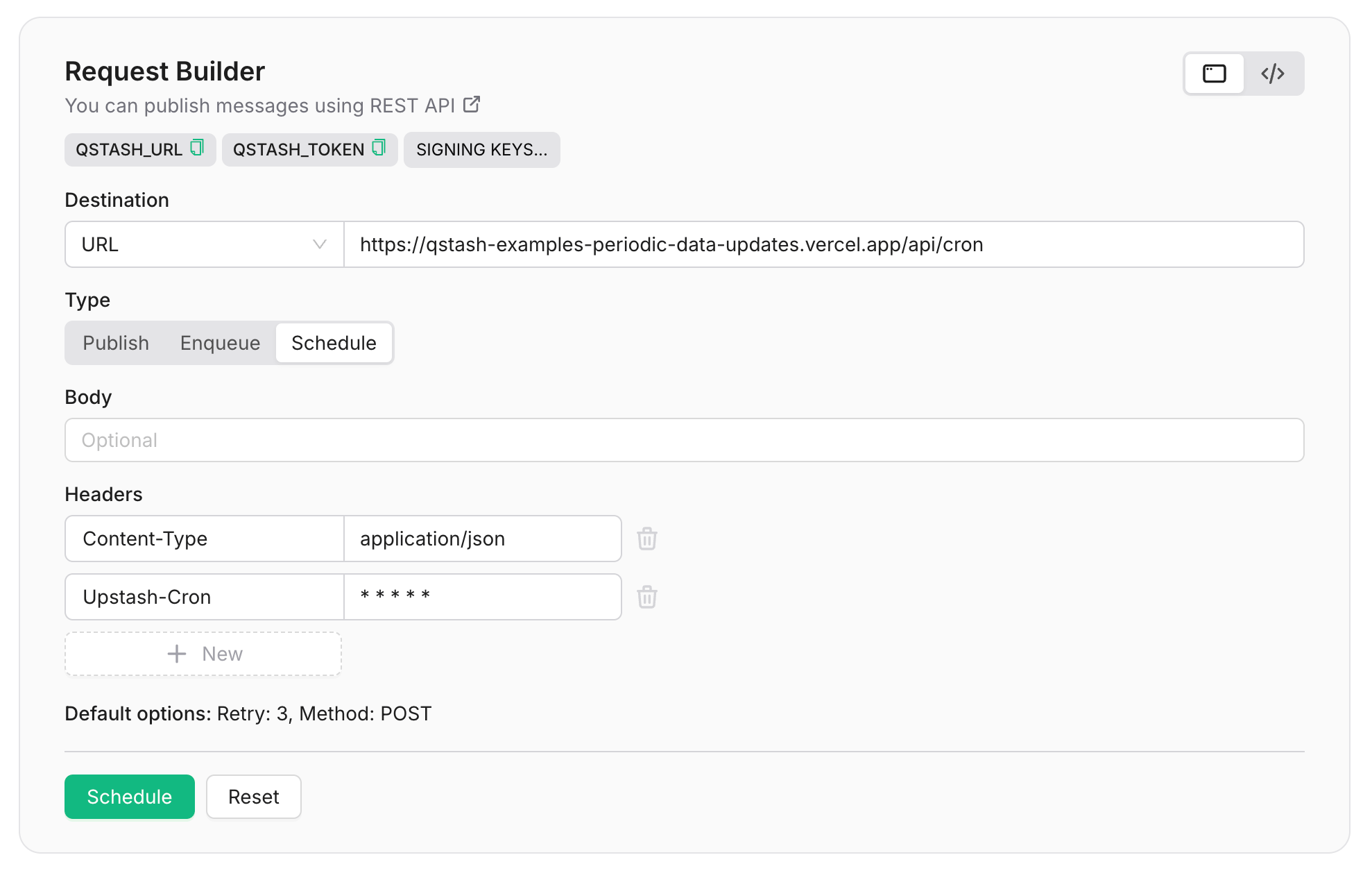
Schedule messages to be delivered at a time in the future
Publish messages to multiple endpoints, in parallel, using URL Groups
Enqueue messages to be delivered one by one in the order they have enqueued.
Custom rate per second and parallelism limits to avoid overflowing your endpoint.
Get a response delivered to your API when a message is delivered
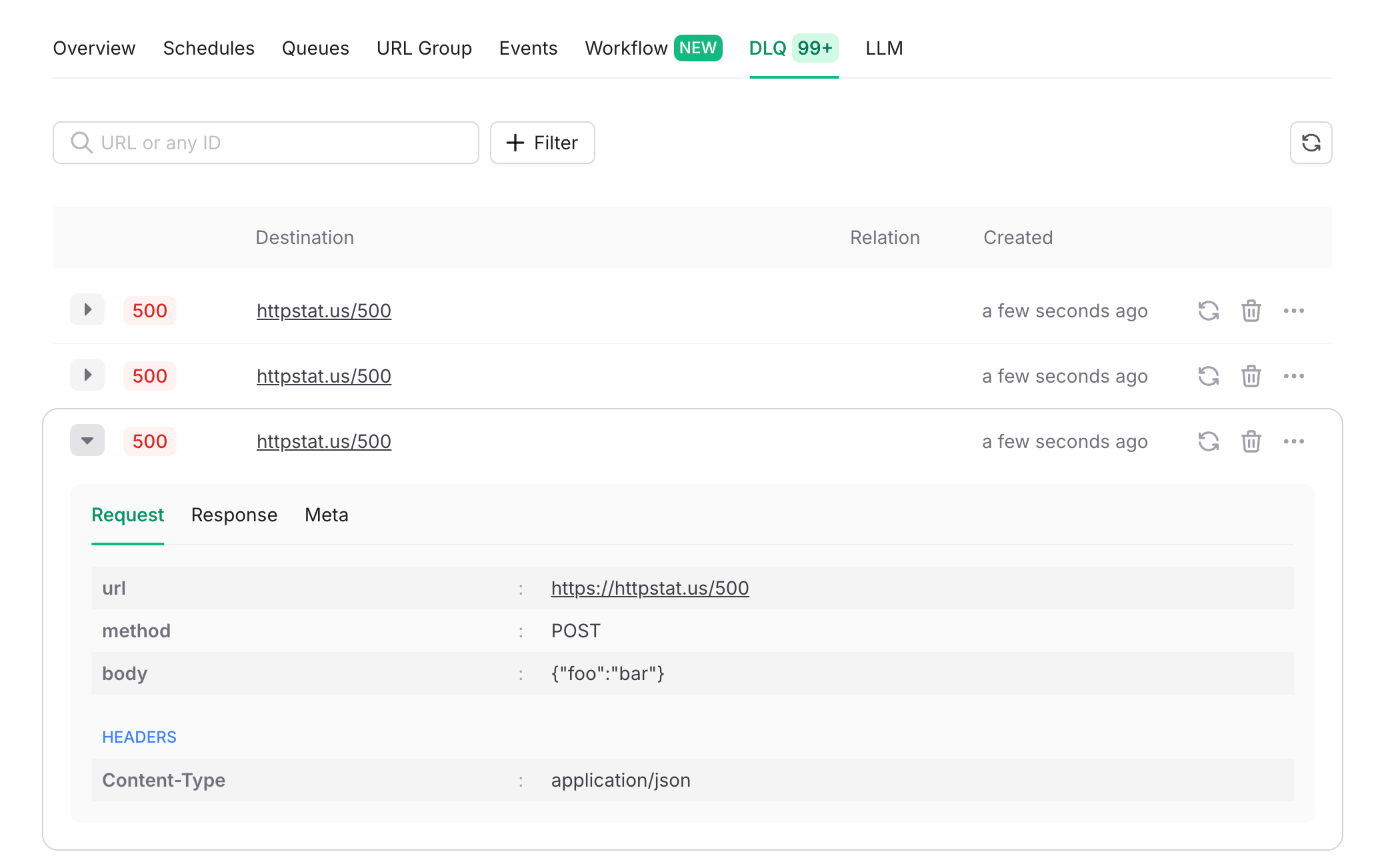
Use a Dead Letter Queue to have full control over failed messages
Prevent duplicate messages from being delivered
Publish, enqueue, or batch chat completion requests using large language models with QStash
features.
## SDKs
## Integrations
## Do more from the console
Inspect messages, retries, and schedules without leaving the dashboard.
Learn more about different states [here](/qstash/howto/debug-logs).
## Features and Use Cases
Run long-running tasks in the background, without blocking your application
Schedule messages to be delivered at a time in the future
Publish messages to multiple endpoints, in parallel, using URL Groups
Enqueue messages to be delivered one by one in the order they have enqueued.
Custom rate per second and parallelism limits to avoid overflowing your endpoint.
Get a response delivered to your API when a message is delivered
Use a Dead Letter Queue to have full control over failed messages
Prevent duplicate messages from being delivered
Publish, enqueue, or batch chat completion requests using large language models with QStash
features.
## SDKs
## Integrations
## Do more from the console
Inspect messages, retries, and schedules without leaving the dashboard.